Have you ever listened to an audiobook on your iPhone? It is very convenient while traveling, driving, or relaxing. But not every ebook has an audiobook version available online. If you have a local ebook in EPUB format, how can you convert it to audio and listen to it on your iPhone offline?
If you want to turn an EPUB file into audio on iPhone, this guide will show you how. With the right app, you can convert EPUB ebooks into high-quality audio and listen to them instead of reading.
Why Convert EPUB to Audio on iPhone?
Converting EPUB files to audio on iPhone is useful for many reasons:
• Listen to ebooks while driving, commuting, or exercising
• Turn EPUB files into audiobooks without buying another version
• Use natural Siri voices for text-to-speech conversion
• Listen on your iPhone offline once the audio is ready
• Make reading more accessible and convenient
What You Need
Before you start, make sure you have:
• An iPhone
• The Doc2Audio app from the App Store
• An EPUB file saved on your iPhone, iCloud Drive, or in the Files app
How to Convert EPUB to Audio on iPhone with Doc2Audio
Doc2Audio is an easy-to-use app that uses natural Siri voices for text-to-speech conversion. It makes it simple to listen to your documents instead of reading them. You can convert PDFs, EPUBs, text files, documents, and other supported files into high-quality audio.
Step 1: Download Doc2Audio
Open the App Store on your iPhone, search for Doc2Audio, and download the app.
Step 2: Open Doc2Audio
Launch the app. If it asks for permissions, allow them so you can import and manage your files.
Step 4: Select Your EPUB File
Choose the EPUB file you want to convert. Doc2Audio supports EPUB, PDF, text files, documents, and other common formats.
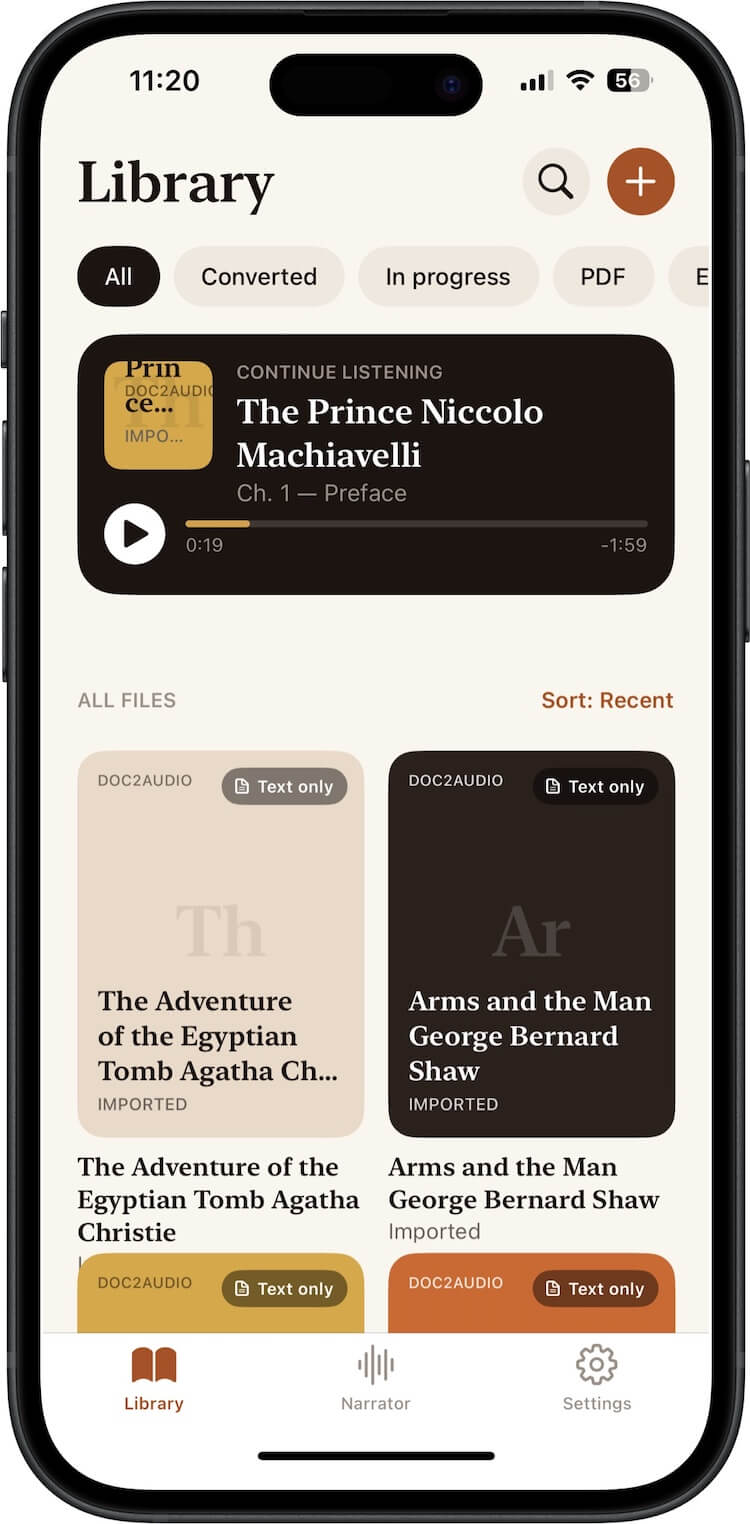
Step 5: Choose a Natural Siri Voice
Select a Siri voice, language, and playback speed. Doc2Audio uses natural Siri voices to create high-quality text-to-speech audio.
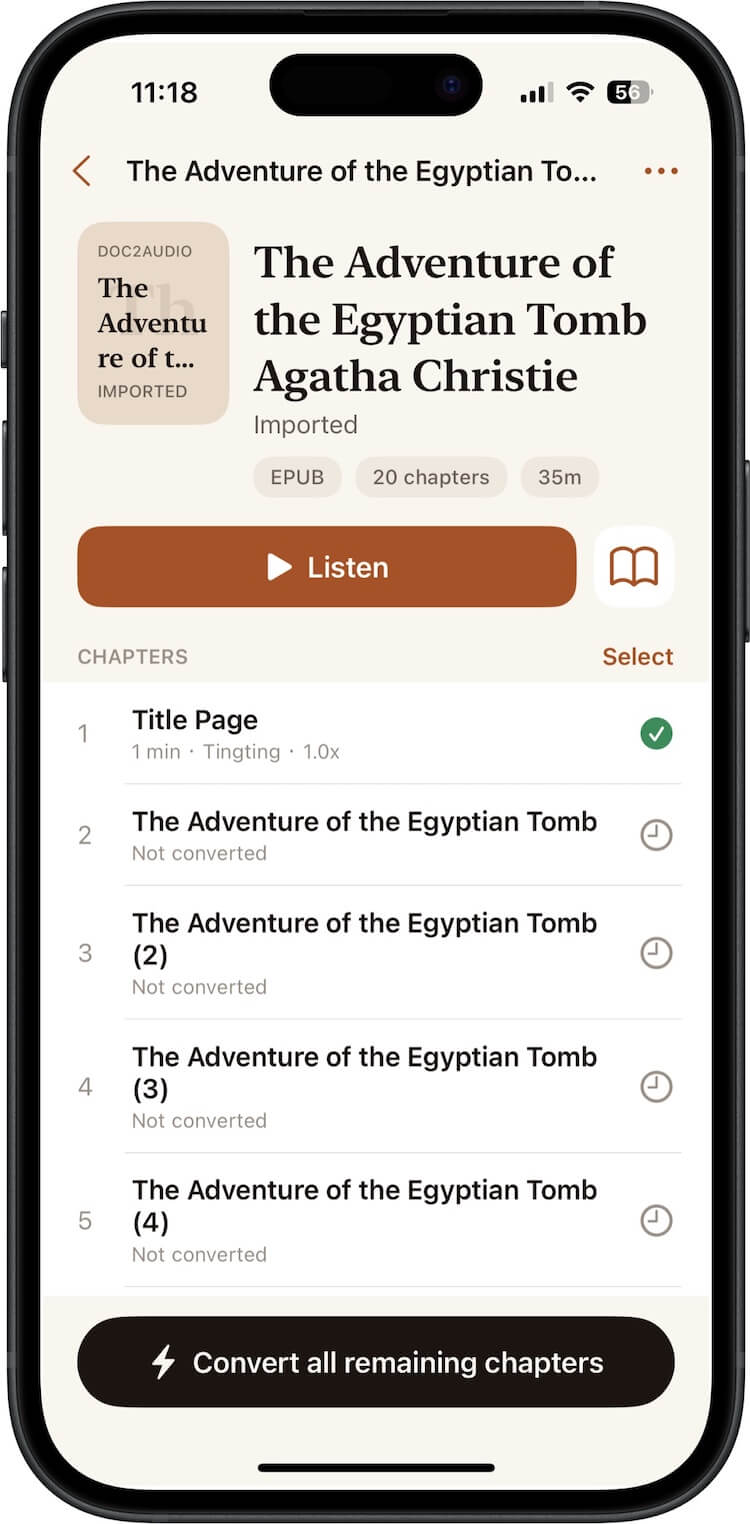
Step 6: Convert and Listen
Start the conversion process. Once the audio is ready, play it directly in Doc2Audio and listen on your iPhone. You can enjoy your EPUB ebook as an audiobook while traveling, driving, or relaxing.
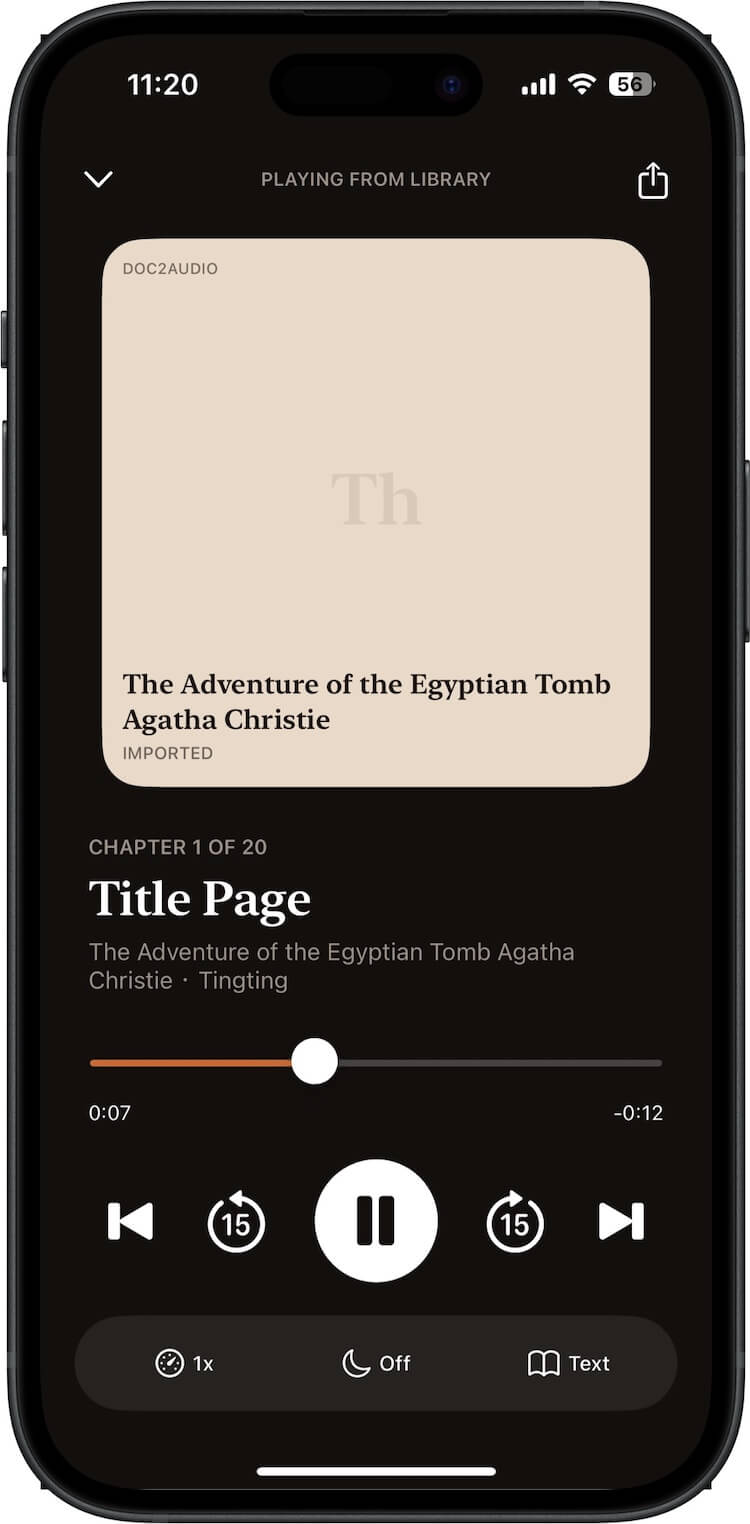
Why Use Doc2Audio?
Doc2Audio makes it easy to listen to your documents instead of reading them. It converts PDFs, EPUBs, text files, documents, and other supported files into high-quality audio using natural Siri voices. If you want to convert an EPUB to audio on iPhone, Doc2Audio is a simple solution.
FAQ
Can I convert an EPUB to an audiobook on iPhone?
Yes. With Doc2Audio, you can import an EPUB file and convert it into audio using natural Siri text-to-speech voices.
Can I listen to EPUB audio offline on iPhone?
Once the audio is generated in Doc2Audio, you can listen on your iPhone. Check the app for offline playback details and available features.
Is Doc2Audio free?
Doc2Audio is available on the App Store. Check the App Store listing for current pricing, free features, and subscription options.
Does Doc2Audio support other file types?
Yes. Doc2Audio supports PDFs, EPUBs, text files, documents, and other supported formats.
Conclusion
If you want to convert an EPUB file to audio on iPhone, Doc2Audio is an easy and convenient option. It uses natural Siri voices to turn EPUBs and other documents into high-quality audio, so you can listen instead of read. Download Doc2Audio from the App Store and start turning your EPUB ebooks into audiobooks today.
| More Related Articles | ||||
 |
1. How to Edit Audio and MP3 Metadata on iPhone? 2. How to Rename Photos on iPhone Without a Computer? |
|||
About Fireebok Studio
Our article content is to provide solutions to solve the technical issue when we are using iPhone, macOS, WhatsApp and more. If you are interested in the content, you can subscribe to us. And We also develop some high quality applications to provide fully integrated solutions to handle more complex problems. They are free trials and you can access download center to download them at any time.
| Popular Articles & Tips You May Like | ||||
 |
 |
 |
||
| Five ways to recover lost iPhone data | How to reduce WhatsApp storage on iPhone | How to Clean up Your iOS and Boost Your Device's Performance | ||