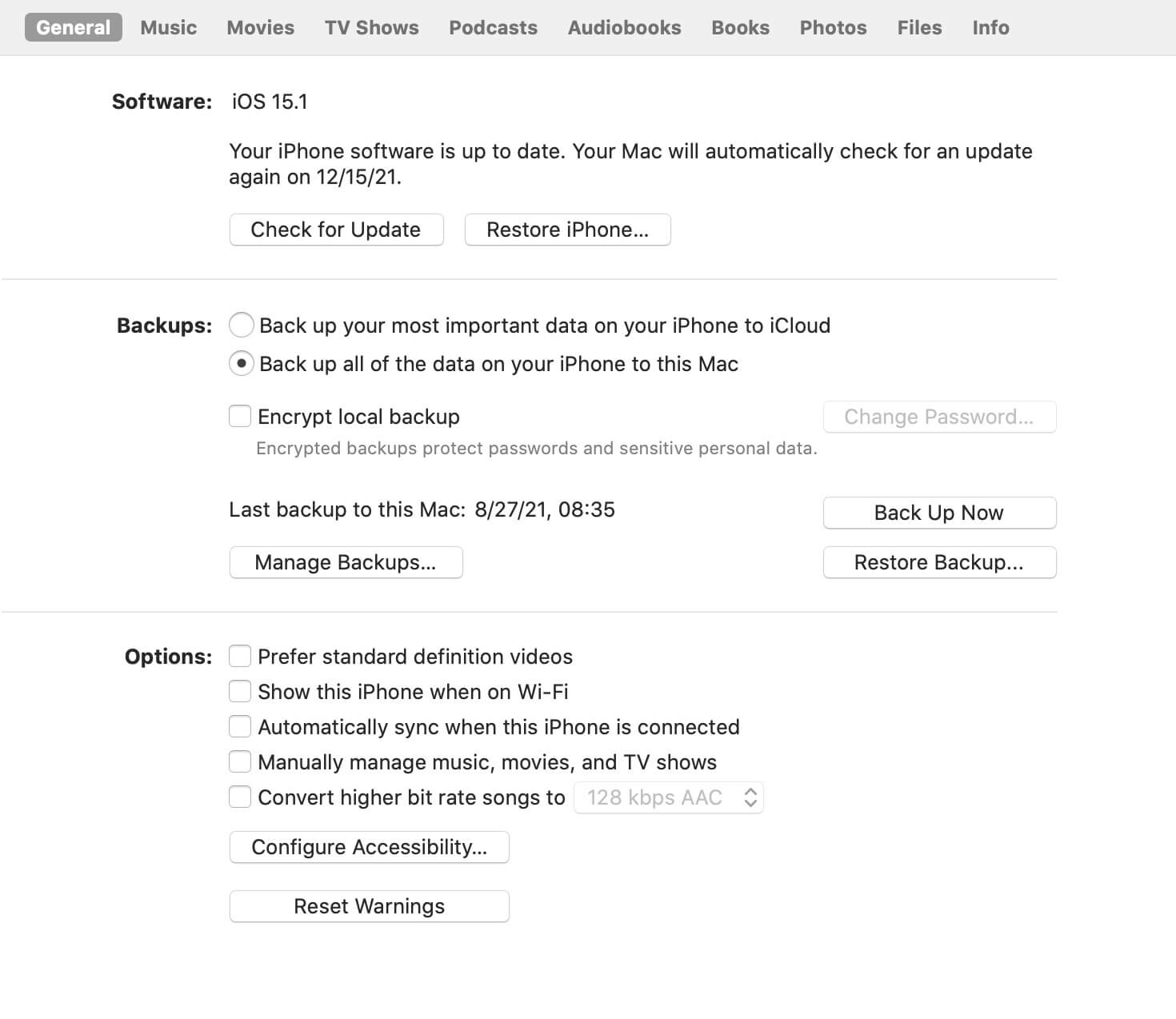
Apple allows you to create either encrypted or unencrypted iPhone backups using Finder (on macOS) or iTunes (on Windows and older versions of macOS). Many users choose encrypted backups because they securely store sensitive information such as saved passwords, Health data, Wi-Fi settings, and other personal information.
However, restoring data from an old encrypted iPhone backup can become challenging if you no longer have the original iPhone. Even if you remember the backup password, some Apple workflows require access to the original device. If your old iPhone has been lost, damaged, or is no longer available, you may wonder whether it's still possible to access the backup.
The good news is that while Apple doesn't provide an official way to decrypt an encrypted iPhone backup without the original iPhone, third-party software can help. In this guide, you'll learn how to decrypt an encrypted iPhone backup and extract your data without restoring the entire backup to another iPhone.
Can You Decrypt an iPhone Backup Without the Original iPhone?
Yes. If you know the password for the encrypted backup, you can decrypt and access the backup without connecting the original iPhone.
Instead of restoring the entire backup—which would overwrite the data on another iPhone—you can use a professional iPhone backup recovery tool to:
• Decrypt encrypted iPhone backups using the backup password.
• Preview the backup contents before recovery.
• Extract only the files you need.
• Recover photos, videos, contacts, messages, notes, WhatsApp data, and more.
• Save recovered files directly to your computer.
This is the safest solution when you only need to recover specific files from an old backup.
Decrypt an Encrypted iPhone Backup with Fone Rescue
Fone Rescue is a professional iPhone backup recovery tool that can decrypt encrypted iPhone backups when you know the backup password. It allows you to browse and extract data directly from a local iPhone backup without restoring it to an iPhone.
Because Fone Rescue processes your backup locally on your computer, your personal data never needs to be uploaded to a server, providing better privacy and security.
Fone Rescue supports recovering a wide range of data, including: Photos and videos, Contacts, Messages and iMessages, Notes, Call history, WhatsApp conversations and attachments, Calendar events, Voice memos, Other supported app data.
How to Decrypt an Encrypted iPhone Backup
Follow these steps to decrypt and recover data from your backup:
1. Download and install Fone Rescue on your Mac or Windows PC.
2. Mac users only: Grant Full Disk Access(System Settings > Privacy & Security > Full Disk Access) to Fone Rescue so it can read your local iPhone backups.
3. Launch Fone Rescue and select Recover from iTunes Backup. Choose the encrypted iPhone backup you want to access and click Start Scan.
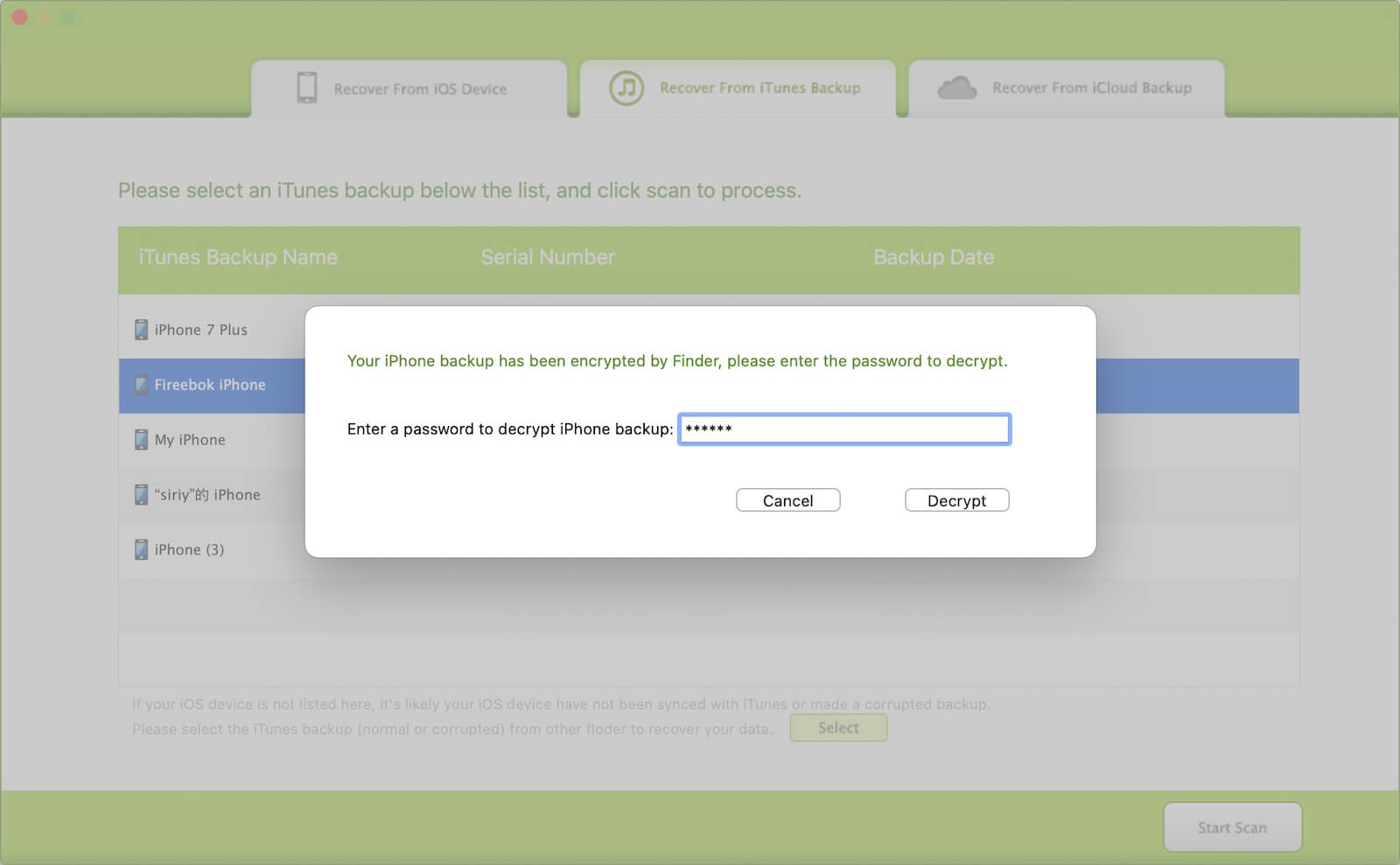
4. Enter the backup password and click Decrypt. Wait while Fone Rescue decrypts and scans the backup. Preview the recovered data, including photos, videos, contacts, messages, notes, WhatsApp data, and more.

5. Select the files you want and click Export to save them to your computer.
Why Use Fone Rescue Instead of Restoring the Entire Backup?
Restoring an old iPhone backup to another iPhone replaces the current data on that device with the contents of the backup. This can result in the loss of newer photos, messages, apps, and other personal data.
With Fone Rescue, you can:
• Access an encrypted iPhone backup without the original iPhone.
• Recover only the files you need.
• Avoid overwriting data on your current iPhone.
• Export recovered files directly to your Mac or Windows PC.
• Keep your backup data private by processing everything locally.
Conclusion
If you've lost your original iPhone but still remember the password for your encrypted backup, you can still recover your data without restoring the entire backup to another device. Although Apple doesn't offer an official method for decrypting an encrypted iPhone backup without the original iPhone, Fone Rescue provides a simple and secure solution.
With Fone Rescue, you can decrypt encrypted iPhone backups, preview their contents, and recover photos, videos, contacts, messages, WhatsApp data, and many other types of files—all without risking the data on your current iPhone.
| More Related Articles | ||||
 |
1. How to merge two photo libraries on Mac? 2. How to find and remove duplicate photos from Photos? |
|||
About Fireebok Studio
Our article content is to provide solutions to solve the technical issue when we are using iPhone, macOS, WhatsApp and more. If you are interested in the content, you can subscribe to us. And We also develop some high quality applications to provide fully integrated solutions to handle more complex problems. They are free trials and you can access download center to download them at any time.
| Popular Articles & Tips You May Like | ||||
 |
 |
 |
||
| Five ways to recover lost iPhone data | How to reduce WhatsApp storage on iPhone | How to Clean up Your iOS and Boost Your Device's Performance | ||