When you download videos in MP4, MOV, M4V, or other formats from YouTube or third-party websites, the files often contain embedded video metadata, such as title, author, copyright, description, and software information.
In addition, videos edited with certain applications may store editing metadata, including the editor name, export settings, or internal processing data.
While macOS allows you to view video metadata, it does not provide a built-in way to batch remove all metadata from video files. If you’re dealing with many videos, removing metadata one by one can be extremely time-consuming.
In this guide, we’ll show you how to securely batch remove video metadata with a single click.
Why Remove Video Metadata on Mac?
Removing video metadata is useful when you want to:
• Protect privacy before sharing videos
• Remove hidden editor or software information
• Clean metadata from downloaded videos
• Prepare videos for upload or distribution
• Reduce unnecessary embedded data
How to Batch Remove Video Metadata Using Media Meta
For a fast and safe workflow, we recommend using Media Meta – Video Metadata Editor for Mac. This specialized utility supports a wide range of formats, including MP4, MOV, M4V, MKV, AVI, and audio files like MP3 and M4A.
Step-by-Step Guide to One-Click Removal:
Step 1: Launch the App. Download Media Meta on your Mac, or get it from the Mac App Store.
Step 2: Import Video Files or Folders. Drag and drop multiple video files, or import an entire folder containing videos. Media Meta will display all detected video metadata tags for the selected files.
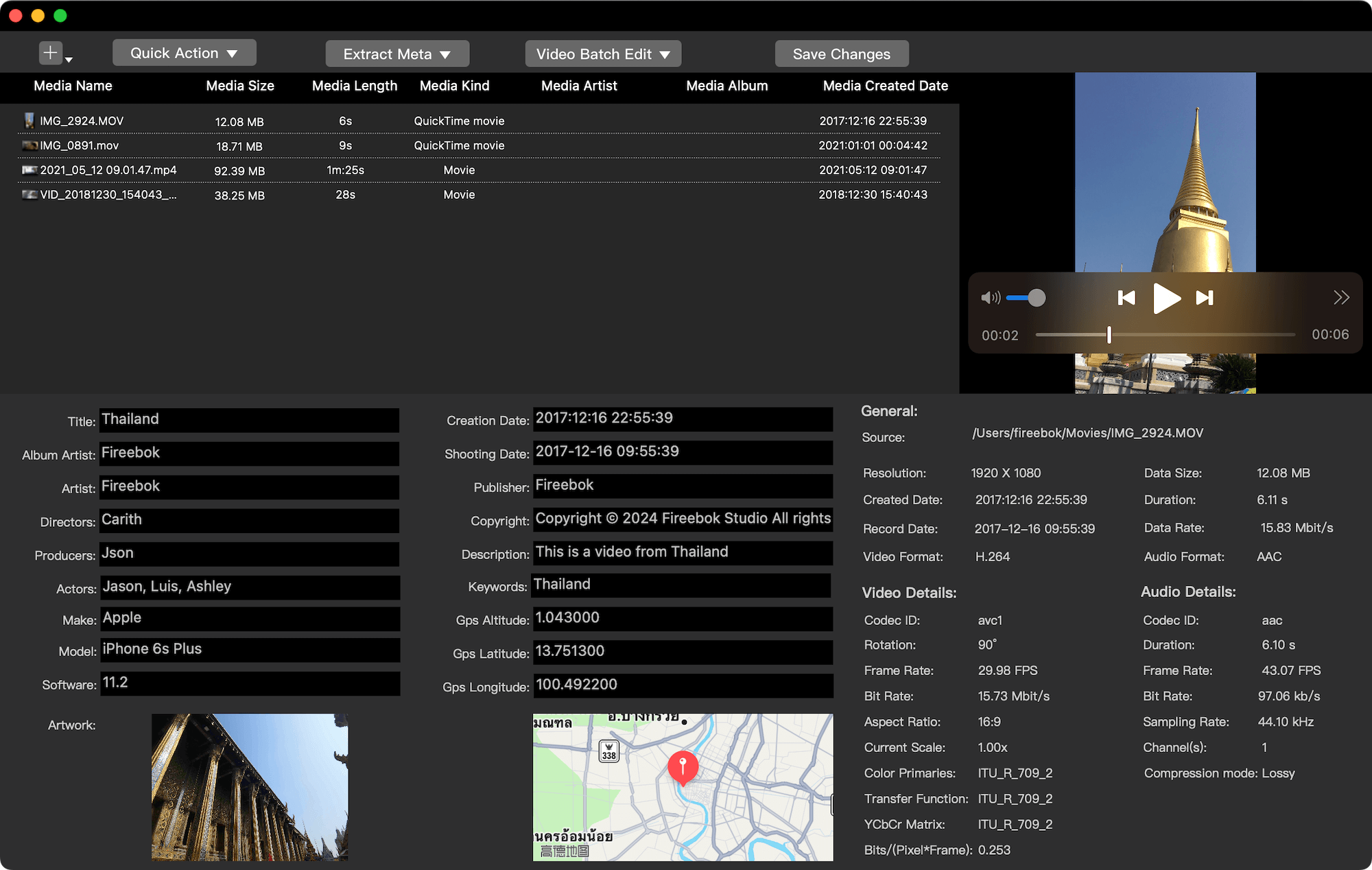
Step 3: Select Video Files. Press Command + A to select all imported videos or some videos.
Step 4: Remove All Video Metadata with One Click. Click Quick Action → Remove metadata of all media(s). Media Meta will batch remove all metadata tags from the selected video files instantly.
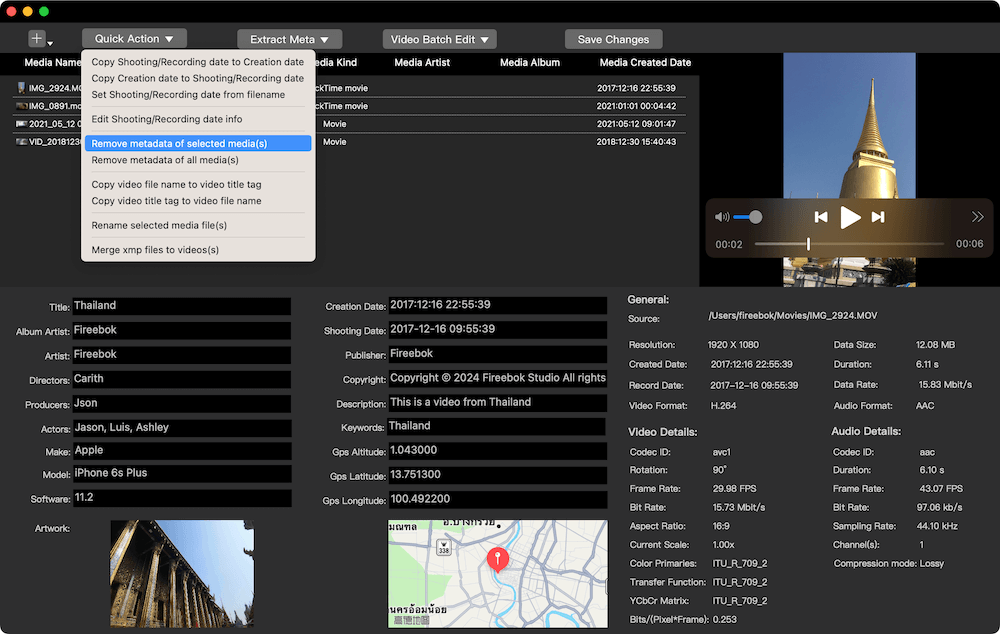
Verify Metadata Removal
After processing: Re-import the videos into Media Meta. You’ll find that all video metadata has been completely removed, including title, description, author, copyright, and software information.
Final Thoughts
If you need to batch remove all metadata tags from video files on Mac, Media Meta provides the fastest and safest solution. With one click, you can clean dozens or even hundreds of videos—something macOS tools cannot do natively.
Whether you’re preparing videos for sharing, protecting privacy, or cleaning downloaded content, using a dedicated video metadata remover for Mac saves time and ensures complete metadata removal.
| More Related Articles | ||||
 |
1. How to encrypt Safari bookmarks on Mac? 2. How to fix your macOS system storage is so huge |
|||
About Fireebok Studio
Our article content is to provide solutions to solve the technical issue when we are using iPhone, macOS, WhatsApp and more. If you are interested in the content, you can subscribe to us. And We also develop some high quality applications to provide fully integrated solutions to handle more complex problems. They are free trials and you can access download center to download them at any time.
| Popular Articles & Tips You May Like | ||||
 |
 |
 |
||
| Five ways to recover lost iPhone data | How to reduce WhatsApp storage on iPhone | How to Clean up Your iOS and Boost Your Device's Performance | ||