Dead and duplicate bookmarks from chrome browser are annoying. Not only do they mess up the list of bookmarks, but they also waste a lot of time looking for bookmarks. Especially they are in different folder locations, it's difficult to delete them one by one. If there are hundreds of dead and duplicate bookmarks and more in your chrome bookmark list, how to fix it? Here we use One bookmark to find and delete dead and duplicate chrome bookmarks on Mac.
How to find and remove dead, duplicate bookmarks
One Bookmark is a macOS application to sync and manage Safari, Chrome, Firefox, Opera browser bookmarks. It also supports to find and remove dead and duplicate bookmarks from chrome browser.
1. First Download One Bookmark on your Mac computer.
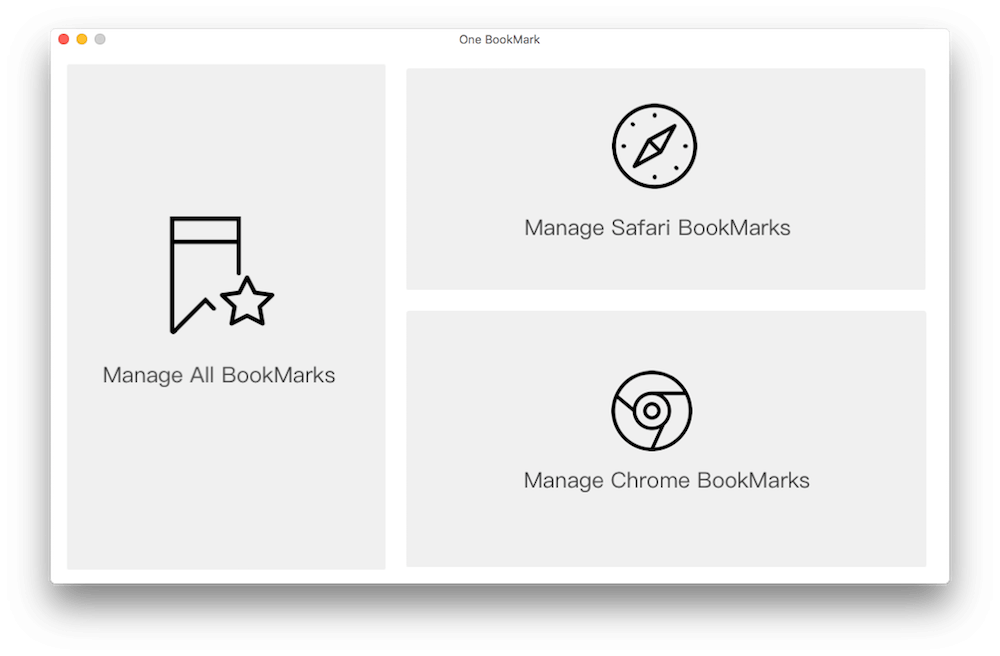
2. Run One Bookmark and choose "Chrome" sidebar to view all Chrome bookmarks and folders
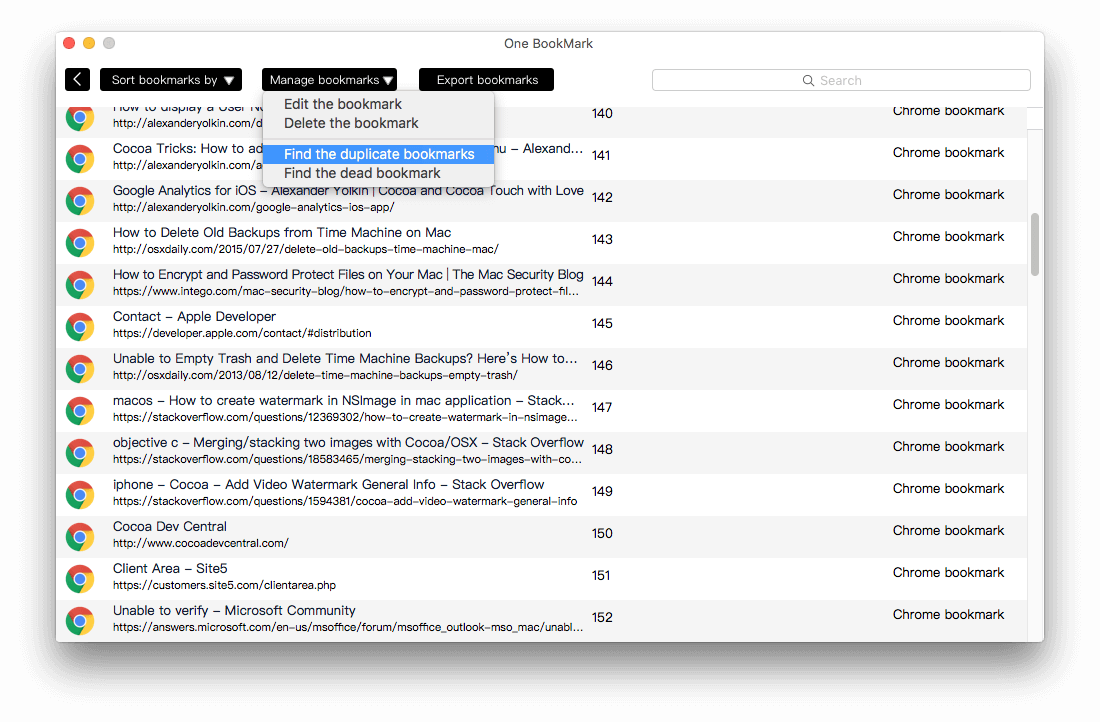
3. Click Duplicates sidebar, to scan "duplicate bookmarks".
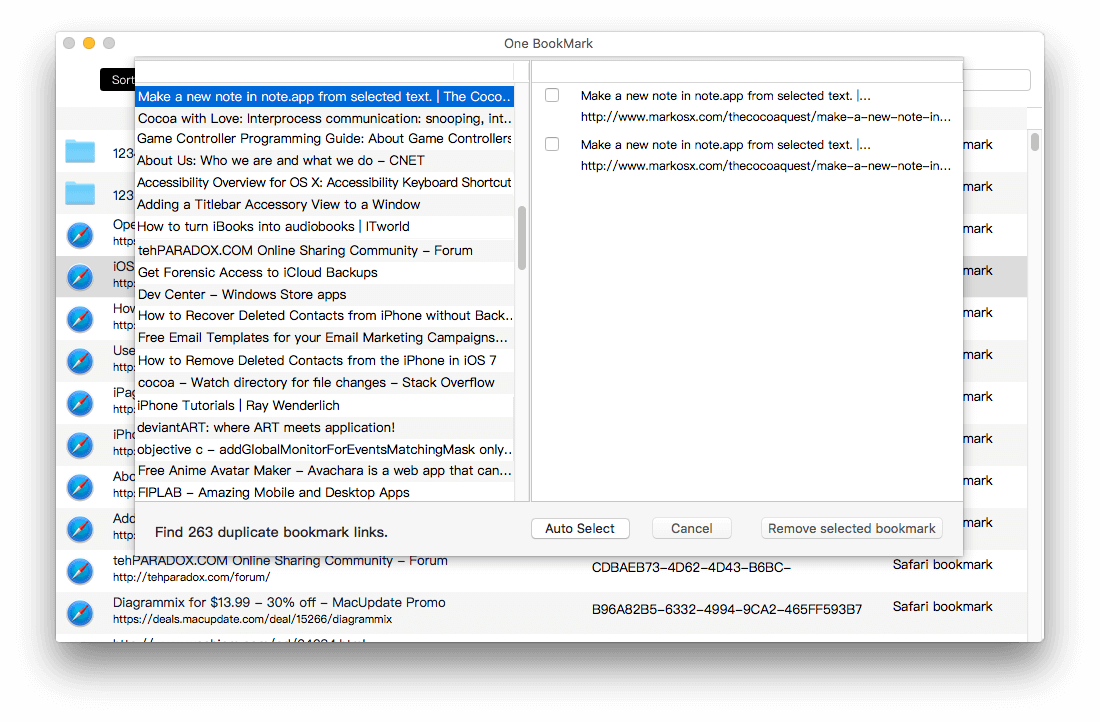
4. Click pop-up button to select Chrome items to view chrome duplicate bookmarks, then click "Delete selected" button.
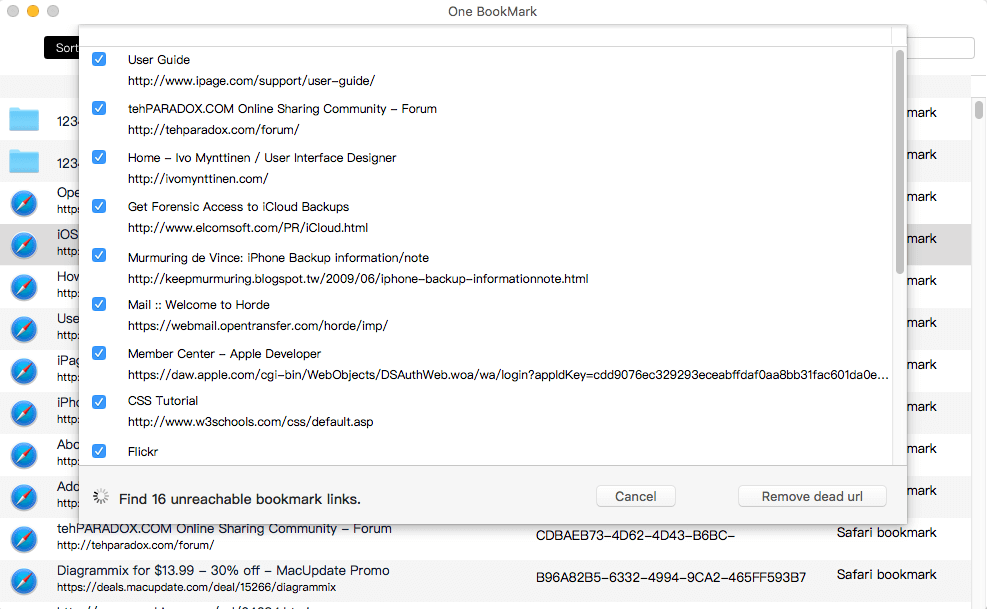
5. Click Broken Links sidebar, then choose "Chrome" in the Source pop-up button.
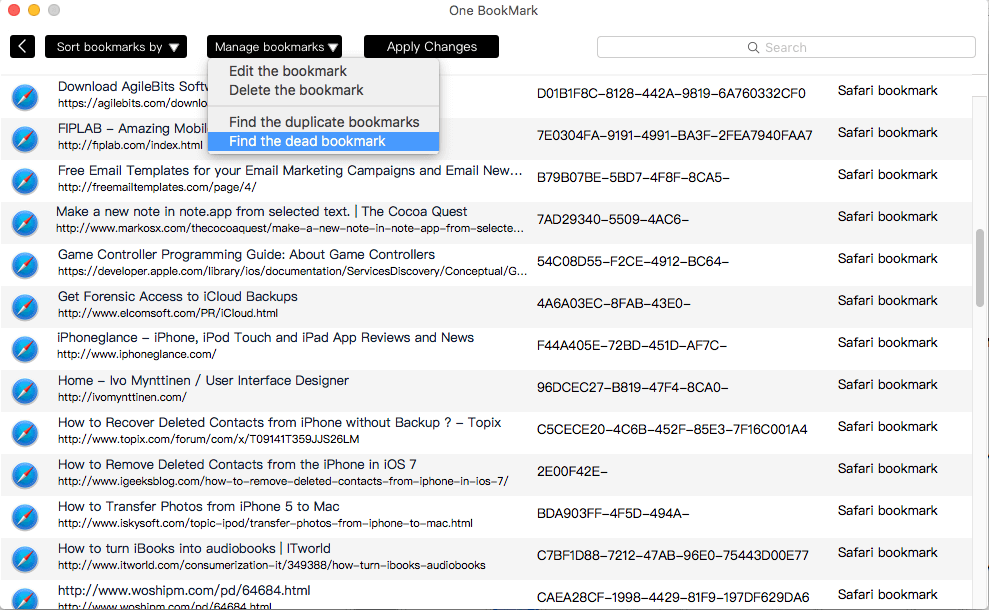
6. Then click "Delete selected" button -> and click Delete to confirm.
| More Related Articles | ||||
 |
1. How to sync all your bookmarks on different browsers on Mac? 2. How to fix your macOS system storage is so huge |
|||
About Fireebok Studio
Our article content is to provide solutions to solve the technical issue when we are using iPhone, macOS, WhatsApp and more. If you are interested in the content, you can subscribe to us. And We also develop some high quality applications to provide fully integrated solutions to handle more complex problems. They are free trials and you can access download center to download them at any time.
| Popular Articles & Tips You May Like | ||||
 |
 |
 |
||
| Five ways to recover lost iPhone data | How to reduce WhatsApp storage on iPhone | How to Clean up Your iOS and Boost Your Device's Performance | ||