



Built for the files you already keep.
Drop two files, two folders, or a library of duplicates. WhatsDiff reads them on disk and shows what changed from one native Mac window.
- Photos
- Videos
- Audio
- Documents
- PDFs
- Archives
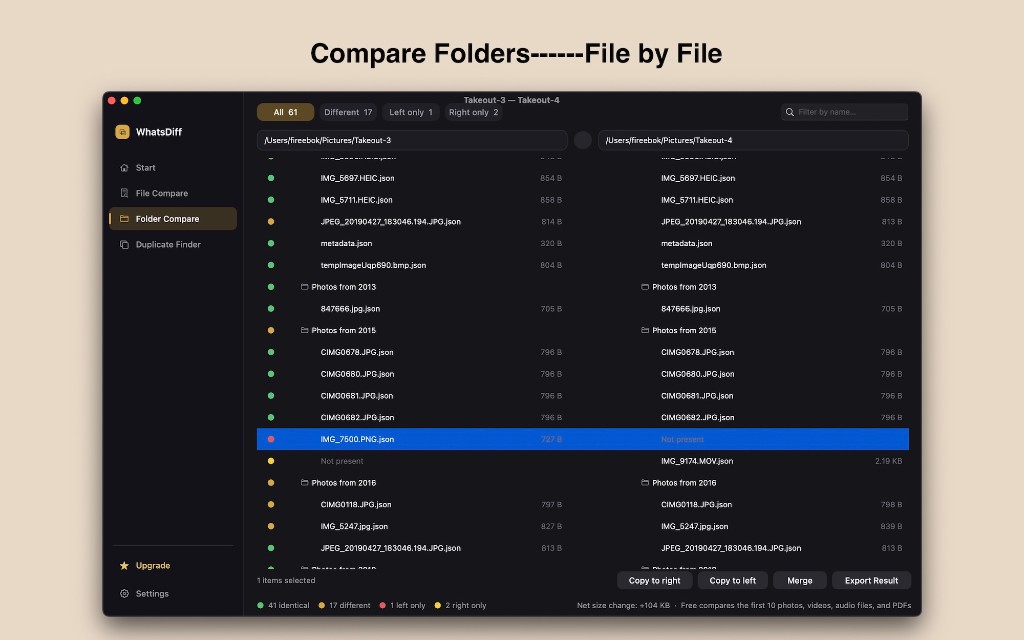
Compare folders file by file.
Point WhatsDiff at two folders — a Takeout archive and a local library, a backup and the original — and see every file that matches, differs, or lives on only one side.
Left folder and right folder, in one list
Filter the tree, select a row, and copy or merge without leaving the compare.
- All, Different, Left only, Right only
- Identical, different, and missing files
- Nested folders stay in place
- Filter the list by name
- Copy to the left or the right
- Merge, then export a PDF
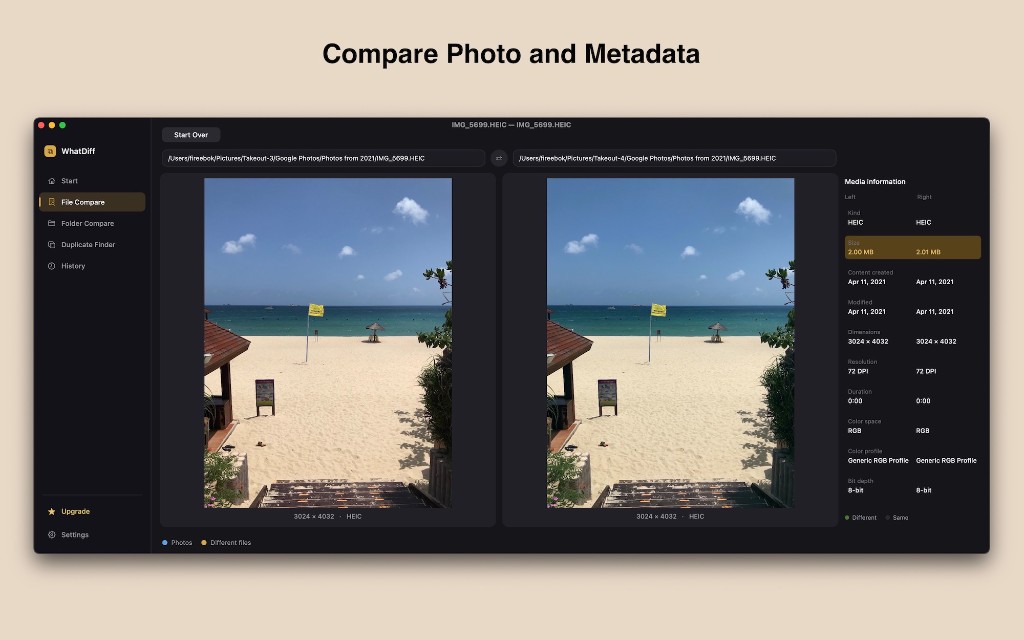
Compare a photo and its metadata.
When two pictures look the same, WhatsDiff still shows the file behind them: kind, size, dates, dimensions, resolution, color, and bit depth.
Side by side, with a difference list
A size that changed by a few kilobytes is marked even when the picture looks identical.
- HEIC, JPEG, and other photos
- Created and modified dates
- Dimensions and resolution
- Duration for video and audio
- Color space, profile, and bit depth
- Different and same, called out
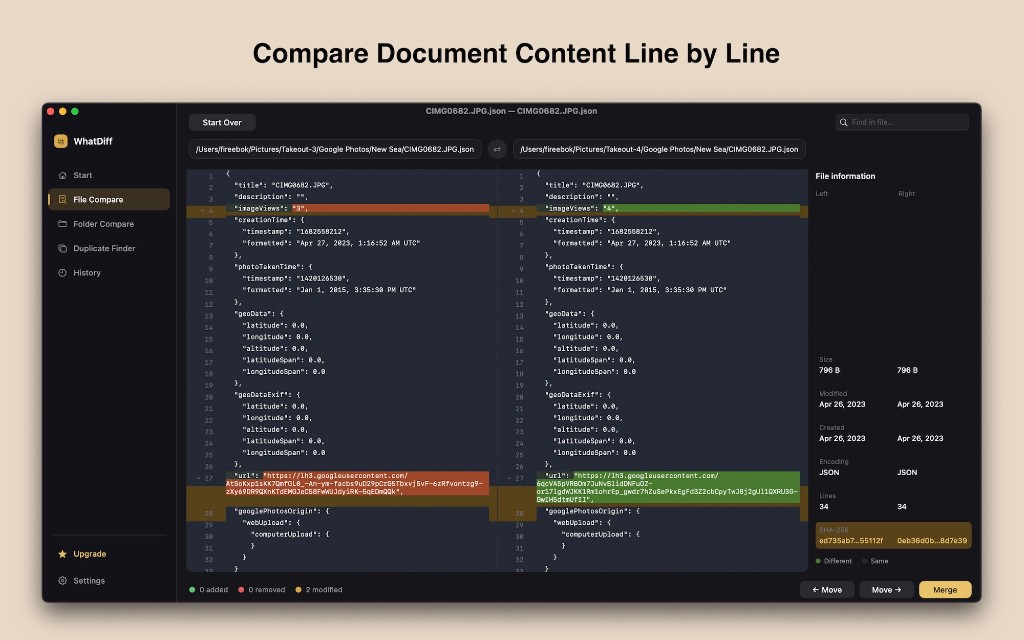
Compare document content line by line.
Open two text files, JSON sidecars, or other documents. Added lines, removed lines, and changed lines are marked in place, with file details on the right.
See the exact line that changed
A photo’s JSON sidecar, a note, or a config file — the diff stays readable.
- Added, removed, and modified lines
- Left and right paths at the top
- Size, dates, and encoding
- Line counts for both files
- Find text inside the file
- Move a change, or merge it
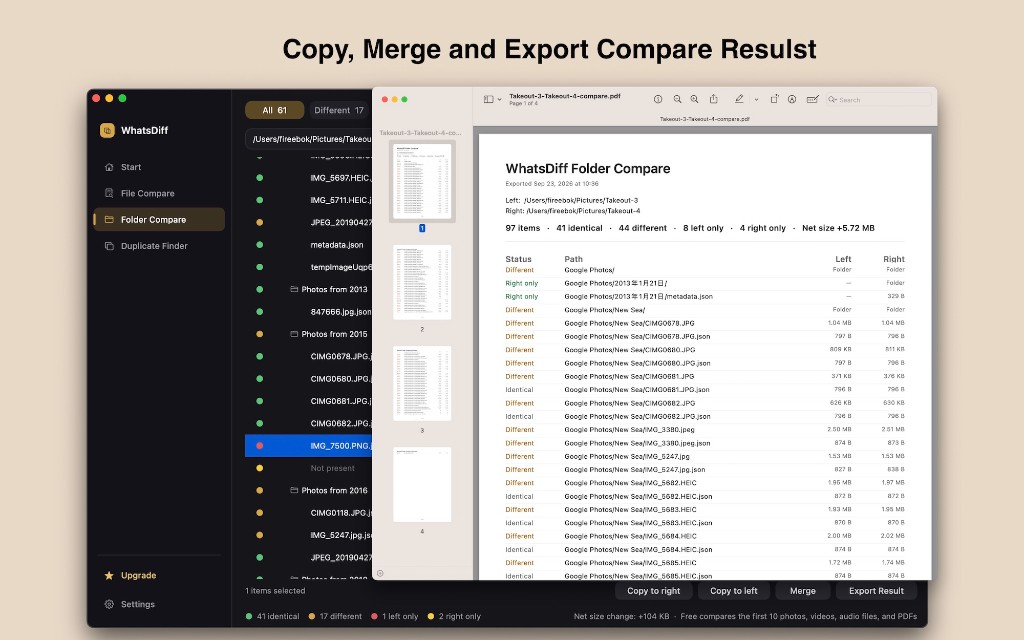
Keep the result, not just the diff.
After the compare, copy files to the other folder, merge the selection, or export a PDF you can file or share.
A PDF of the whole compare
The report lists status, path, and size for the left and right folders, plus the totals.
- Copy to the right or the left
- Merge the selected items
- Export the result as a PDF
- Identical, different, and only-on-one-side
- Net size of the change
- Page through a long report
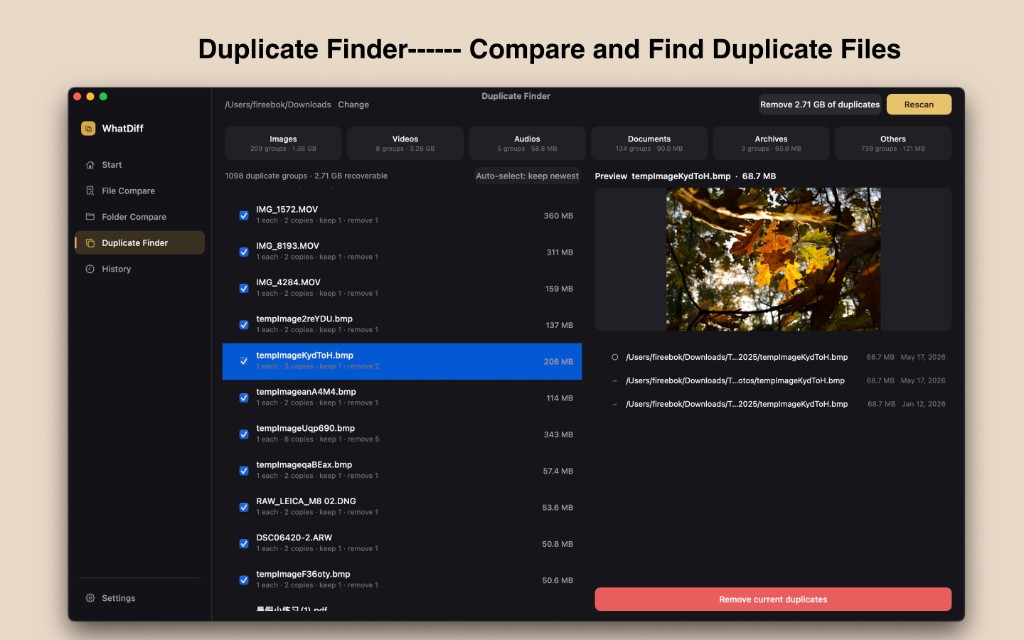
Find duplicate files and the space they take.
Scan Downloads, a photo library, or several folders at once. WhatsDiff groups copies, previews the file, and lets you keep the newest.
Review the group, then remove the extras
Images, video, audio, documents, archives, and everything else, with the recoverable size up front.
- Groups by file type
- Recoverable size for the scan
- Preview the selected file
- Auto-select: keep newest
- Choose what each group keeps
- Remove the current duplicates
Start free. Unlock the full compare.
Text and document compares are unlimited. Photos, videos, audio, and PDFs start with the first 10 items. Pro unlocks copy, merge, export, and removing duplicates.
| What you get | Free | Pro |
|---|---|---|
| Text and document compare | Unlimited | Unlimited |
| Photos, videos, audio, and PDFs | First 10 items | Unlimited |
| File Move, Merge, and export | — | Yes |
| Folder copy, merge, and export | — | Yes |
| Duplicate Finder scan | Yes | Yes |
| Remove duplicates to Trash | — | Yes |
| Folder tree compare | View only | Copy, merge, export |
| Future Pro updates | — | Included |
The compare stays on this computer.
WhatsDiff reads the folders you choose. File contents are not uploaded to Fireebok.
Folders, documents, and photos are read from disk.
Drop them on the window or choose them in the open panel.
Reopen a recent file, folder, or duplicate scan.
There is no cloud copy of the files you compare.
Save a PDF of the folder compare on your Mac.
Removing a copy is a Trash action you can undo in Finder.
See what changed. Keep what matters.
Download for Mac · Mac App Store · Free to start